
Health Dashboard
A sleep and recovery app for iPhone and Apple Watch that plans around my exams, written in Swift.
- Status
- Getting ready for TestFlight
- Code
- Private, because the app was built on my own health data. I'm happy to walk through it in an interview.
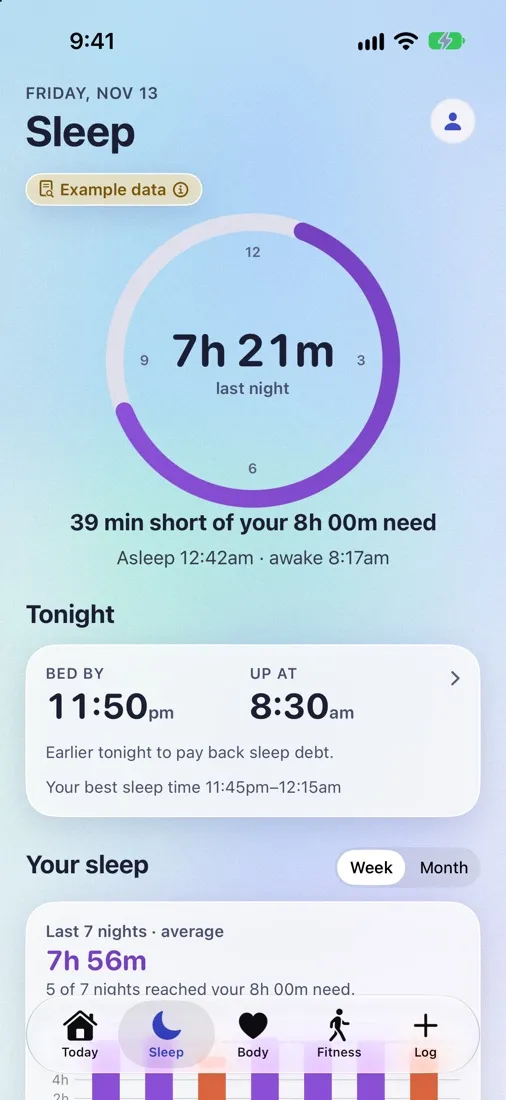
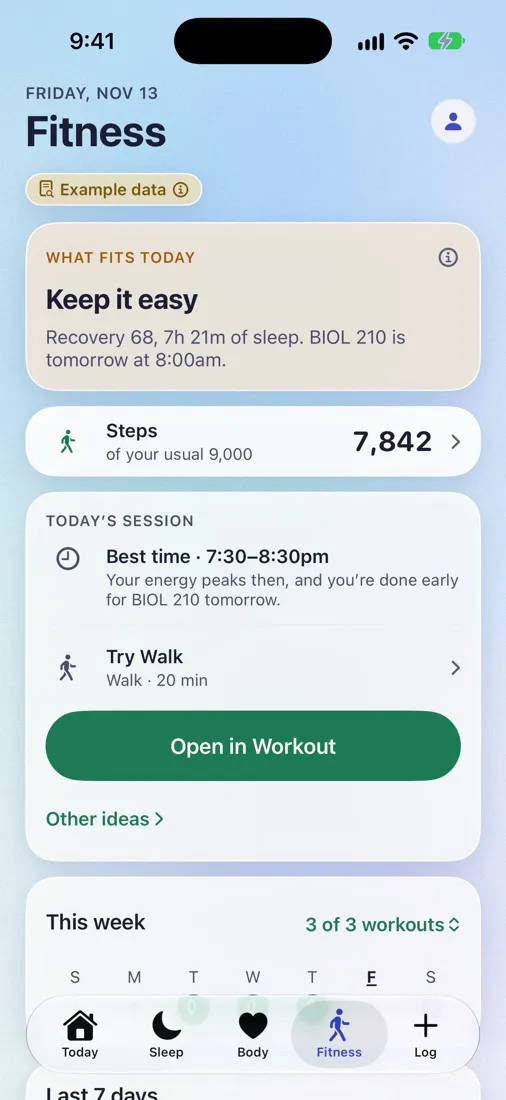
Sleep and Fitness on iPhone, running on the app's built-in example data.
The problem
No app fit my schedule. My weeks move around exams, and nothing I tried planned sleep or training around them. The closest one covered about half of what I wanted for around $100 a year, so I started building my own.
What I'm building
- Recovery score
- One score each morning, based on sleep and heart-rate variability.
- Smart alarm
- On iPhone and Apple Watch, with two modes: Easier wake-up or Most sleep.
- Exam-aware planning
- On exam nights it works out bedtime backward from the exam's wake-up time, and the fitness plan arranges the week around exams.
- Fitness tab
- Routines, plus a strength-set logger on the Watch.
- Watch app
- Looks the same on every size from 40 mm to 49 mm.
Key decisions
Keep the data on the device
Health data is personal, so it stays on the phone and watch. "Delete all data" really deletes it, rather than hiding it.
Plan backward from the exam
Most sleep apps start from when you go to bed. On an exam night the fixed point is the morning, so the app starts from the exam's wake-up time and works back to a bedtime.
Make the Watch alarm first-class
The smart alarm runs on the Watch as well as the phone, so the Watch app had to hold up on its own. It looks the same on every Watch size from 40 to 49 mm.
Where it is now
I'm getting it ready for TestFlight, Apple's beta testing. That has meant writing App Store privacy manifests and a privacy policy, and setting the app up so it says clearly that it's still being tested. On November 1 it got a new icon: a sunburst with a heartbeat line.
Where it started
Before the native app there was an in-browser dashboard. It parses a 1.4 GB Apple Health export in about 8 seconds on the device, without uploading anything. The Swift app grew out of wanting those views on my phone and wrist.
Details
- Platforms
- iPhone and Apple Watch, plus the original web dashboard
- Language
- Swift
- Status
- Preparing for TestFlight
- Privacy
- Data stays on the device; "Delete all data" really deletes it
- Web dashboard
- Parses a 1.4 GB Apple Health export in about 8 seconds
- Repository
- Private